Side project · Wear OS + Android companion · 2026
A book on your wrist, one word at a time.
An RSVP speed reader for the Pixel Watch. Words flash at a fixed point with one letter highlighted, so your eyes stay still and the text does the moving. A companion app on the phone parses EPUBs and sends whole books to the watch over the Wearable Data Layer, and a home-screen tile takes you back to the exact word you left off at. The reader has four reading modes and a crown-controlled speed dial.
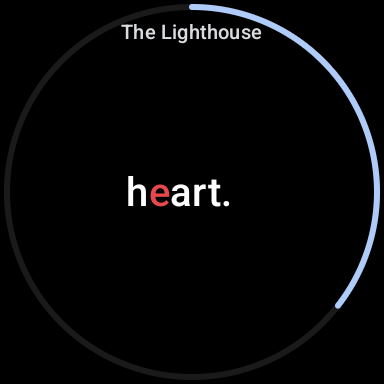
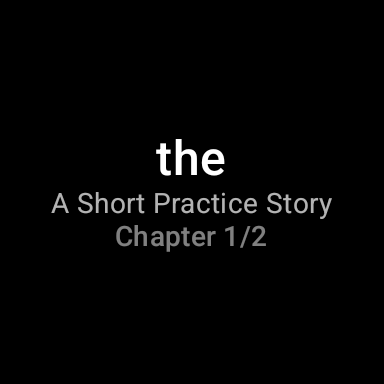
RSVP playback on the watch: the red letter stays put and the words come to it.
Why I built it
A watch screen only fits about one word of comfortable text, and that happens to suit speed reading well: Rapid Serial Visual Presentation flashes words at a fixed point so your eye never has to move, and a screen too small for a paragraph is a fine screen for a single word. I first saw the idea in rsvpnano, an ESP32 reading gadget, and rebuilt it in Kotlin for Wear OS, where the device is already on your wrist and the phone can take care of the books.
Showing a word turned out to be the easy part. The tricky parts were everything around it: getting a whole book onto a watch that has no browser and no keyboard, remembering your position on a device that kills processes aggressively, and making the rotating crown feel nice to use.
The actual idea
Where your eye lands, and how long each word stays.
Two numbers make RSVP comfortable instead of exhausting, and both come out of the pure-Kotlin engine.
The first is the optimal recognition point: the letter your eye should land on, a little left of a word's center. The engine strips leading punctuation, then picks the highlight letter based on word length: the first for a one-character token, the second for up to five, and as far as the fifth for very long words. On screen that letter renders red and sits 16dp left of screen center, where I found it most comfortable on a round face. A TextMeasurer measures the bounding box of that exact letter and scrolls the line so its center, not the word's, lands on the fixed point.
The second is per-word timing. A flat 300-wpm clock feels wrong: long words need more time, and the end of a sentence needs a small pause. The engine starts from 60,000/wpm and adds 50% for words of nine or more letters, 100% when the word ends a sentence, and 50% at a clause boundary. The pauses land roughly where you'd naturally breathe.
Tokenization has one more trick: hyphenated compounds longer than 12 characters get split at the hyphens so each part fits the screen, and every token still remembers its exact offset in the original chapter text. The paged mode relies on that later.
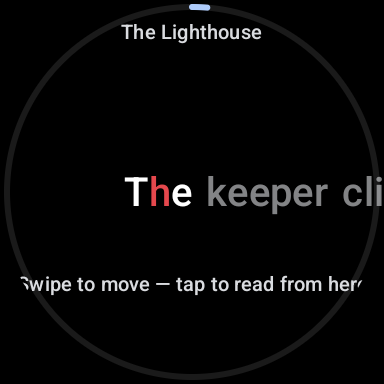
Playing and paused are the same line of text.
The obvious way to build an RSVP display is a text element that swaps words. I went a different route: the whole chapter is one continuous horizontal line of words in both states. While playing, the neighboring words are invisible and only the current word shows, its ORP letter on the pin. Tap to pause, and the surrounding words fade in around it. The word you were reading never moves, so you never lose your place switching between reading and browsing.
While paused you can drag the line directly, and a snap-fling lands whichever word you release closest to the pin so its ORP letter sits on the fixed point. The pinned word is the reading position: scrub, tap, and the flashing picks up from the word under your eye.
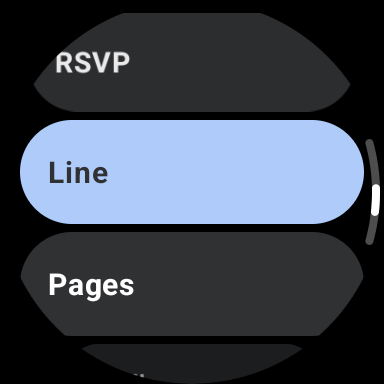
Four reading modes share one session.
All four modes drive the same session object, a plain class rather than a ViewModel so playback can be tested on virtual time. Position and persistence stay consistent across modes. RSVP and Line advance automatically across chapter boundaries, Paged turns across them, and Scroll stops at the end of a chapter. Each mode brought one problem of its own:
- RSVP: the engine clock. Delay per word, advance, repeat, crossing chapters automatically and saving at each boundary.
- Line: the same line of text crawls continuously under the pin, and the crawl itself becomes the word clock. It runs as constant-velocity 200-word chunks (per-word tweens left a visible frame seam), with the speed chosen so the average pin-to-pin advance matches the wpm setting. Turning the crown mid-crawl restarts the animation from the current pixel at the new speed, which keeps it seamless because speed is the only thing that changes.
- Paged: real e-reader pages. The paginator finds the largest word range that fits a page using galloping search plus binary search on measured text height, so measurement cost grows with the page size, not the chapter size. Page text is a substring of the original chapter, which is where those hyphen-split tokens with original offsets pay off: compounds appear unsplit on the page. Paging backward across a chapter boundary lands on the previous chapter's last page, not its first word.
- Scroll: an auto-scrolling column whose speed comes from the wpm and the measured average words per line; the reading position is the first word of the topmost fully visible line.
The crown is a speed dial, a scrubber, and a page-turner.
Wear OS delivers the rotary crown as a stream of tiny pixel deltas, which is useless raw for discrete actions. A pure-Kotlin RotaryAccumulator adds them up into steps: one step per 48dp of rotation in the same direction, resetting on direction reversal and after 300ms of rest. A hesitant half-turn never fires, and a reversal never carries stale momentum.
What a step means depends on state. In RSVP and Line, each step while playing is ±10 wpm with a haptic tick, clamped between 100 and 900 wpm and applied to the running clock immediately. While paused, the crown scrolls the word line 1:1 like a finger drag, and 180ms after the crown rests the nearest word glides onto the pin. Paged uses the same accumulator to turn pages. Scroll follows the crown's raw movement instead, matching the motion of the text column.
| Input | Playing | Paused |
|---|---|---|
| Tap | pause | play |
| Crown | change WPM (100 to 900) | scrub / page / scroll |
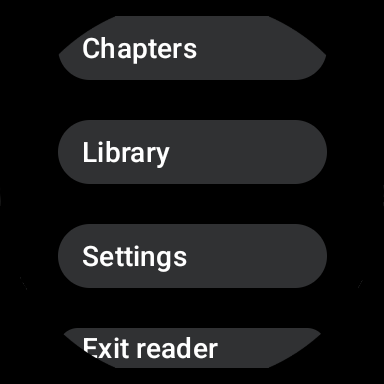
| Swipe down | menu (Chapters / Library / Settings / Exit) | same |
| Swipe up | seek sheet | same |
| Swipe right | nothing | back |
Whole books ride the Wearable Data Layer.
The watch has no file picker worth using, so books enter through the phone. Import an EPUB (file picker or share sheet) and the parser turns it into the app's model: OPF metadata for title and author, spine order for chapters, and cleaned plain text per chapter. The first heading becomes the chapter title, and cover or image-only spine items get dropped. An EPUB with no readable text is rejected at import with a visible error instead of syncing a book that would crash the reader. Any app's share sheet works too: shared articles and pasted text become books, with a title taken from the first six words when none is given.
Every book gets a content-addressed ID, 16 hex chars of SHA-1 over the bytes, so importing the same book twice is a no-op by construction. For sync, the whole book travels as an Asset on a DataItem, and Play Services handles delivery, even when the watch is off-wrist, offline, or the app isn't running. On first launch the watch sweeps DataItems that arrived before it was installed.
The watch confirms every delivery: it writes an ack after a successful import, the phone shows “On watch ✓” vs “Sending…” per book, sweeps acks that landed while it was dead, and re-sends anything unacked. Deleting a book also deletes its ack, since a stale ack would fake delivery if the same content were ever imported again.
The tile puts you back on the exact word.
Reading position is a chapter index plus a word index per book, saved on every pause, chapter crossing, seek, and (via a lifecycle hook) whenever you simply lower your wrist and leave. Restoring is the subtle part: the session doesn't hand itself to the UI until the saved position has been applied, because UI effects that mirror the list position back into the session would otherwise overwrite the restored word with word 0. Position saves also run on an application scope rather than the ViewModel scope, since the last save fires right as that scope is being torn down.
The home-screen tile shows the last word you read, the book title, and “Chapter 3/12”. It never loads or tokenizes a book to render: every position save also writes a ready-made snapshot into DataStore, so the tile reads five preference keys and is done. Tapping the tile deep-links straight into the reader, with a guard so a recreated activity doesn't replay a stale tile intent over the restored back stack.
Under the hood
Tech stack
- Kotlin 2.2.21 · kotlinx.serialization · kotlinx.coroutines
:coreis pure Kotlin/JVM with no Android dependency, fully unit tested- Compose for Wear OS · ProtoLayout tiles · Preferences DataStore
- Play Services Wearable Data Layer (books as Assets, urgent DataItems)
- Phone: Jetpack Compose (Material 3) · epub4j + Jsoup for EPUB parsing
- Unit tests cover engine timing, ORP, tokenization, rotary steps, pagination, session playback on virtual time, tile content, and storage round-trips
Design decisions
- Keep the engine pure Kotlin: ORP, timing, tokenization, and rotary accumulation are all testable without an emulator
- One line of text for both playing and paused: the current word never moves, only context fades
- The reader session is a plain class, not a ViewModel, so playback tests run on virtual time
- Content-addressed book IDs make re-imports idempotent across both devices
- Sync whole books as Data Layer Assets and let Play Services own delivery; acks close the loop
- Screen stays on only while words are streaming
What I'd do next
- Cross-device position sync (positions are currently watch-local)
- Chapter titles from the EPUB nav document instead of first-heading heuristics
- Smarter timing model: per-character duration and pacing curves instead of three fixed multipliers
Inspired by rsvpnano, an ESP32 RSVP reading device; reimplemented from scratch in Kotlin for Wear OS.